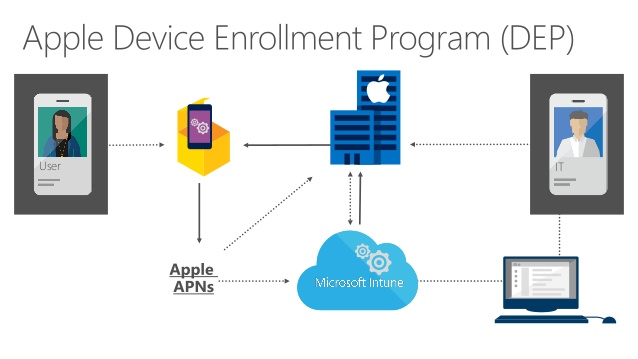
With the release of Intune the last week of august 2018, it is now possible to lock the Company Portal in single app mode until user sign-in on IOS when using DEP.
You now have the option to run the Company Portal in Single App mode if you authenticate a user through the Company Portal instead of Setup Assistant during DEP enrollment. This option locks the device immediately after Setup Assistant completes so that a user must sign in to access the device. This process makes sure that the device completes onboarding and is not orphaned in a state without any user tied.
The issue has been – when you are using MFA for enrollment or user sign-in on IOS – the native Apple setup assistant is not working with MFA. So when using the feature “Authenticate with Company Portal instead of Apple Setup Assistant” the user will not be prompted for user login even when using User Affinity.
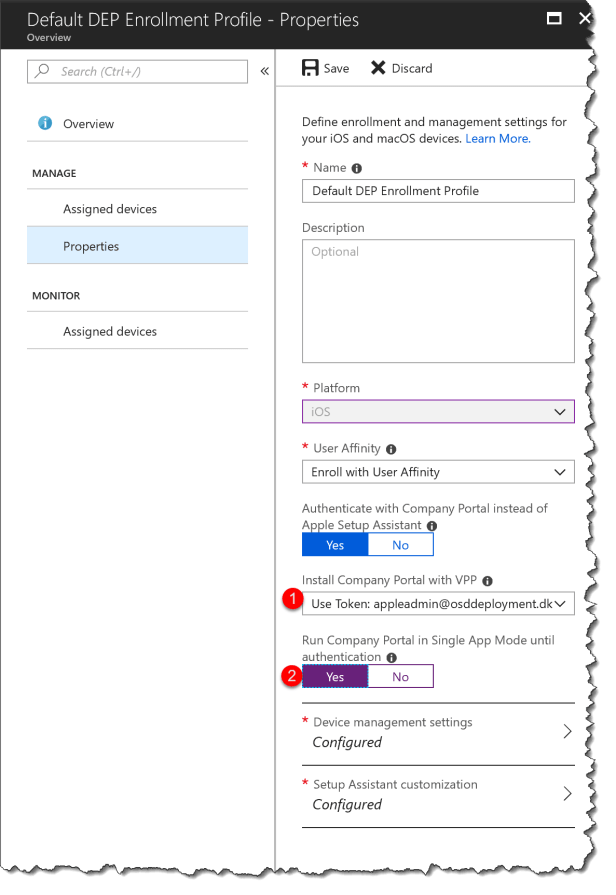
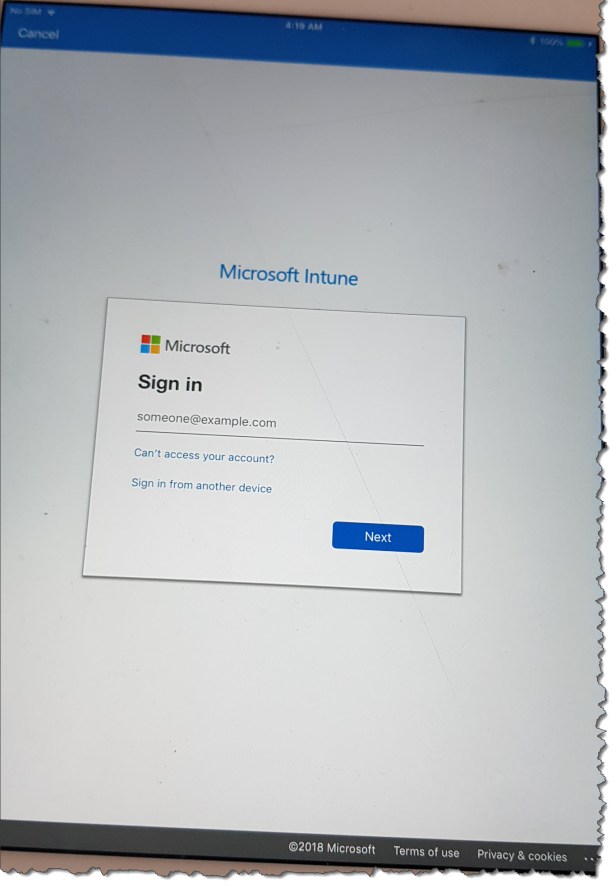
The user experience after the change:
Company portal will be installed in the background on the device and auto started the end user has the option to login with the Azure AD and the cancel in the top left corner will not work.

 Cloud First
This is excellent – but how do you read the MFA sms code when the Company Portal app is run is single-app mode? You cannot switch to the Messages app, and the SMS does not pop up…
I have the same problem here. I wonder if you managed to solve it.
When this feature became available I directly started testing it and locked up my iPad 😉 as the Company Portal didn’t show up on device as mentioned in Microsoft’s Doc https://docs.microsoft.com/en-us/intune/device-enrollment-program-enroll-ios
Apple DEP was already configured, additionally I configured Apple VPP as well.
“Purchased” 10000 licenses of Company Portal.
After the sync the Company Portal app shows up as “iOS volume purchase program app ” in Intune’s apps pane.
But it seems that you need to assign that app as required to “All Devices” with license type “Device licensing”, that’s not mentioned and I created case with MS to be on safe side, resolution pending.
I only want to hit the DEP devices and not those where users have “normal” iOS devices enrolled to Intune with their user account and the Apple Store classic download.
There is no solution at the moment – other than disable MFA
Thanks for replay. as usual MS do the half solution!